
If you use your Google, Okta or Microsoft account to log into your computer using Addigy Identity, here are some tips regarding the login window.
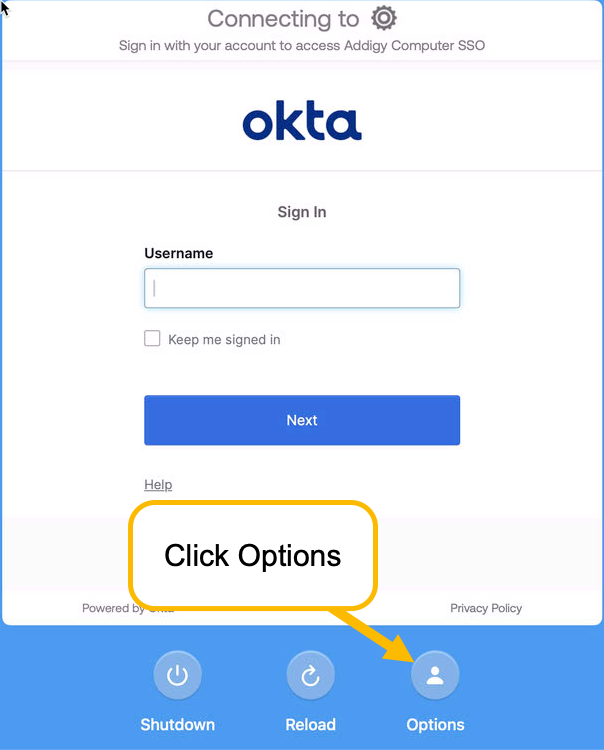
If you'd like to log directly into your account on the computer and bypass the Google, Okta or Microsoft login window:
- Select the "Options" button at the bottom right.
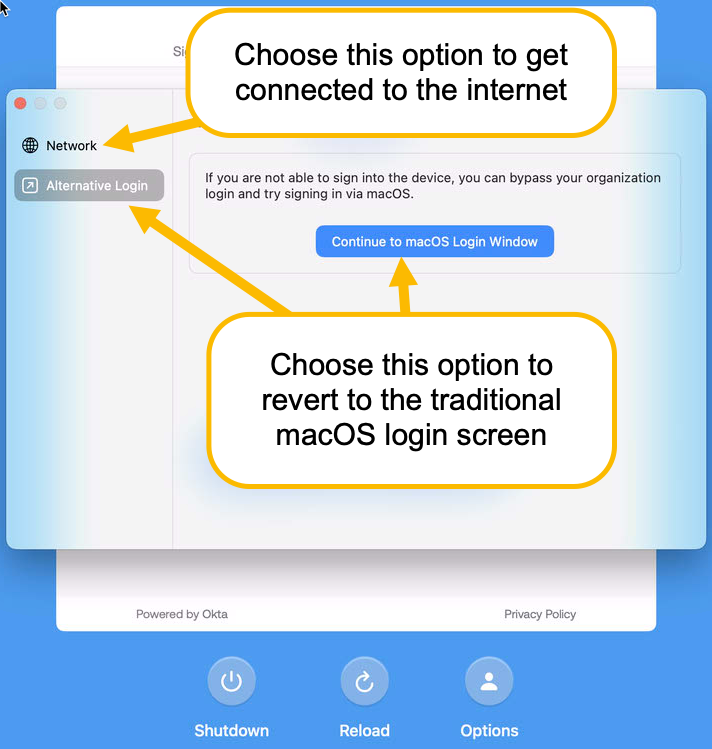
- Select "Continue to Mac OS Login Windows"
If you're offline and need to gain internet access, click the option on left (shown below) for Network to get connected to a wifi network.
For a deeper dive into Addigy Identity, see this article from Addigy.