By default, you may not be an administrator of your PC, but there's a workaround if you need to do something like add or remove an applications (or perform any other action that requires administrative privileges).
From the Start menu, search for and launch an app called "Make Me Admin."
Click the "Grant Me Administrator Rights" button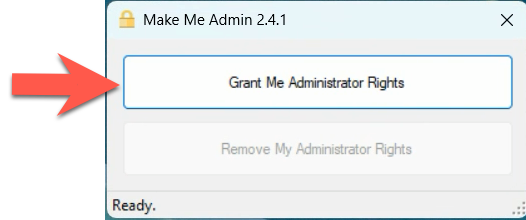
Enter a reason you need temporary admin rights 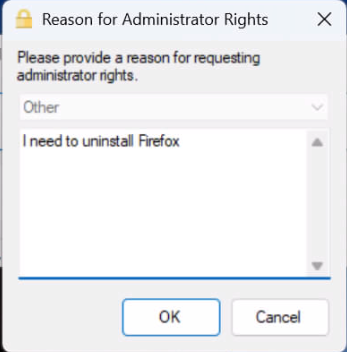
You'll likely be prompted for your computer username/password when you attempt to do your admin function. Enter that and then perform the admin task you need.
Note:
If you're an Entra-joined user (i.e. someone who logs in with your company email address), your screen will look similar to below. 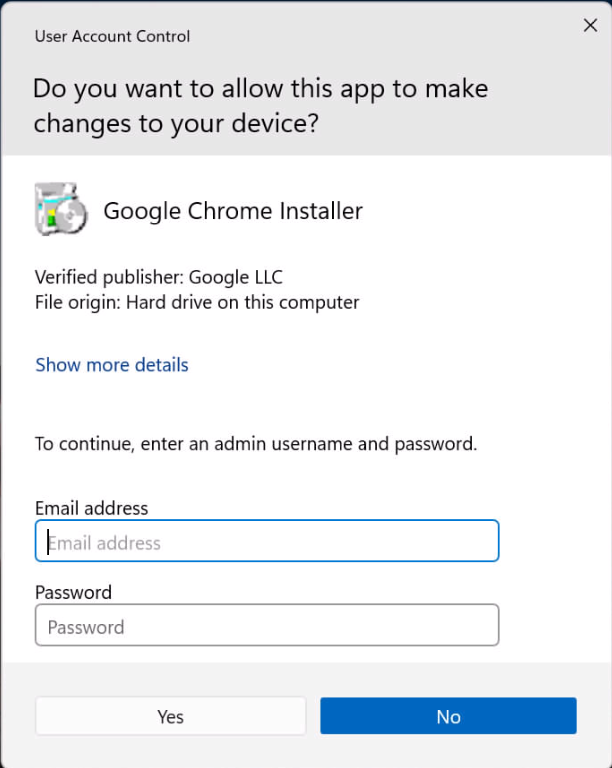
If you have a local account, you screen will probably look like the one below, in which case you'll want to click "more choices" to reveal your account. Click on your account and enter your password. 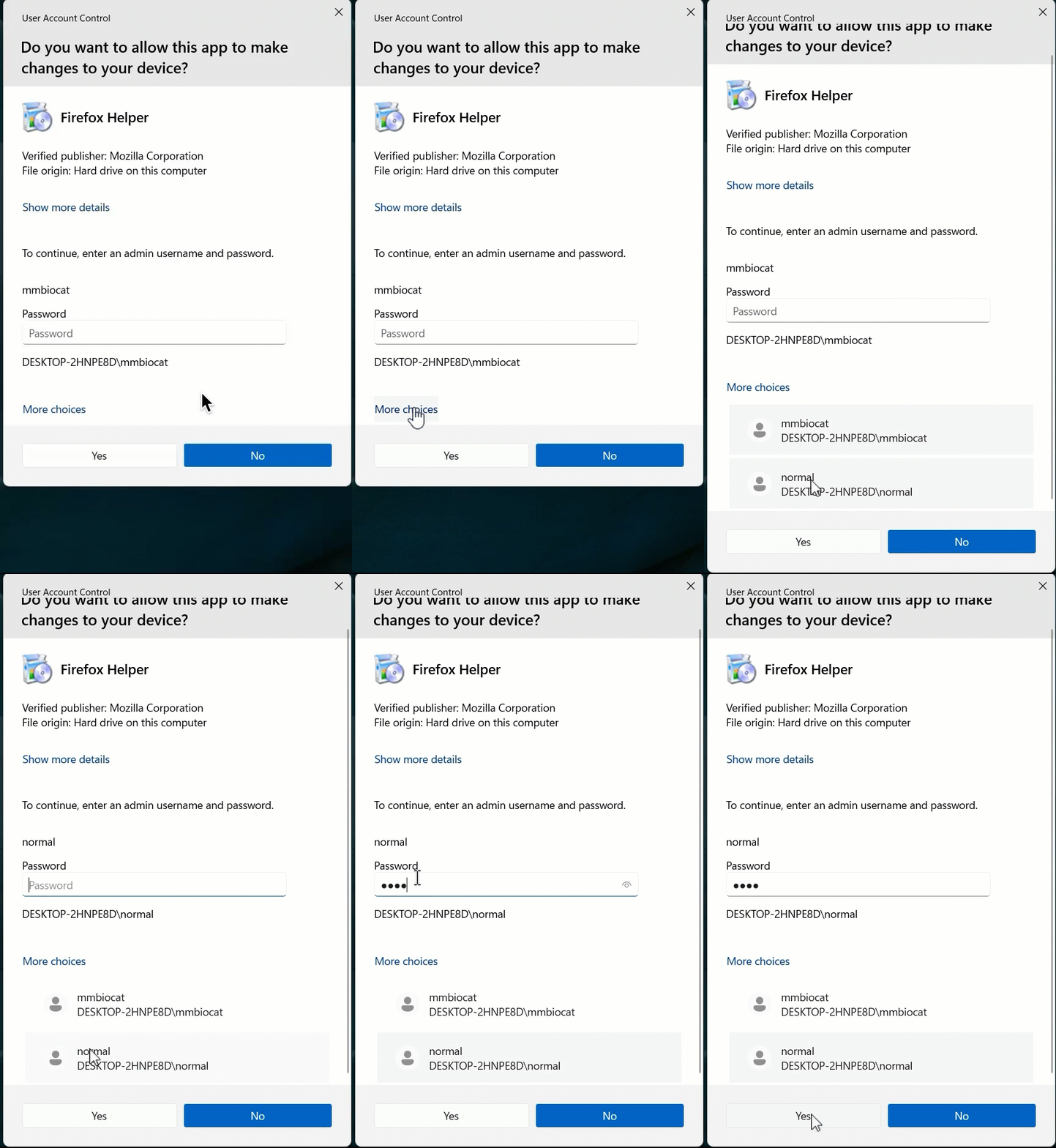
Pro tip! If you're still having issues installing something even after elevating yourself to an admin, you may have to right-click on the installer package and choose "run as administrator" to get it to properly work.
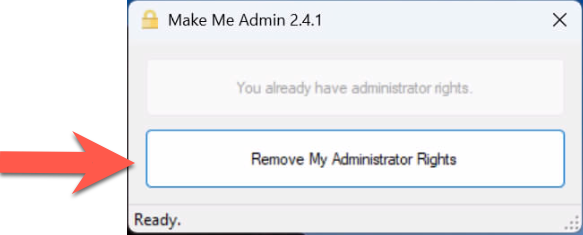
After 10 minutes you'll automatically be returned to your non-admin status, but it's never a bad idea to manually revert your privileges as well. You can do so by launching "Make Me Admin" and then clicking the "Remove My Administrator Rights" button.