When an external organization using Slack tries to invite a guest user on your Slack organization, this will often fail assuming you have Slack Connect set up between your organization and the external one.
This issue occurs when an external client is the owner of the channel, but has it setup so that external users can only post (not invite).
Two options to fix, but both require the involvement of the external client.
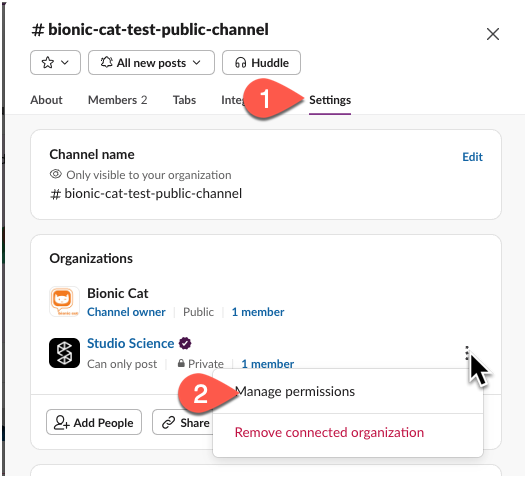
Option 1: have the external company invite your guest user to their own org and not as an external organization (see screenshot below).

Second option is to ask the external Slack organization to allow external users to invite new users to the channel--even if just long enough for the guest user to be added from your side. From the channel settings, they need to change permissions from "can only post" to "can post and invite." At that point, any person in that channel will be able to invite other users in your org, be they guests or full members.