
Upgrading Timus VPN to version 5 will bring some interface changes.
First, when the update is pushed out, you'll receive this message:
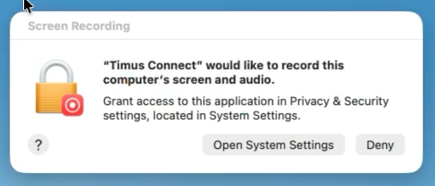
Please click "Open System Settings" and toggle on the option to allow Timus:
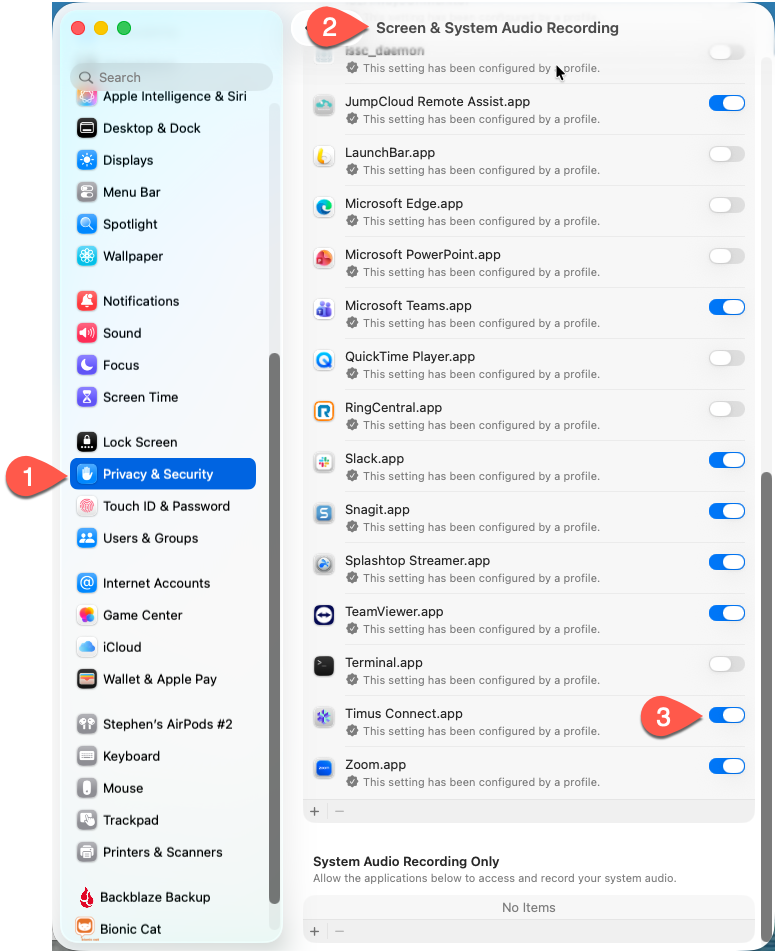
When do do so, you'll be prompted to quit and relaunch Timus. Please do so.
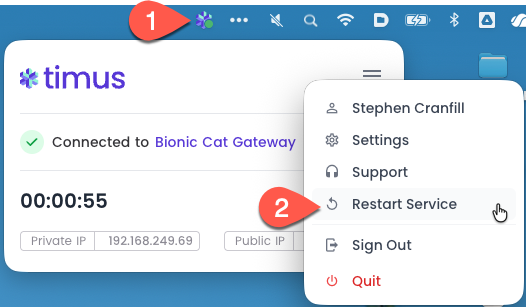
Next, when Timus appears in your menubar, select the Timus icon, select the Hamburger menu and choose "restart service"
Please take note of the Timus icon in the menubar so you can easily see if you're connected or not:
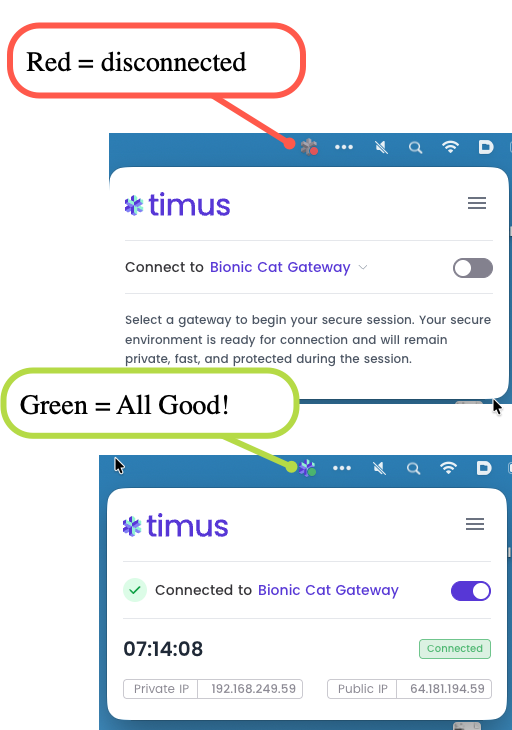
Disconnecting from Timus: